When a GPS tracker is not working, the device itself is rarely the cause. Most reported faults trace back to power, signal, installation or a misunderstanding of what the data means. Working through the causes in order of likelihood saves a callout and often solves the problem in a few minutes. This guide covers the five symptoms fleets actually report.
Symptom one: the vehicle is not reporting at all
Check in this order. Each step is more likely than the one after it.
- Is the vehicle actually being used? Obvious, and it is genuinely the most common answer. A vehicle parked for a week reports very little by design.
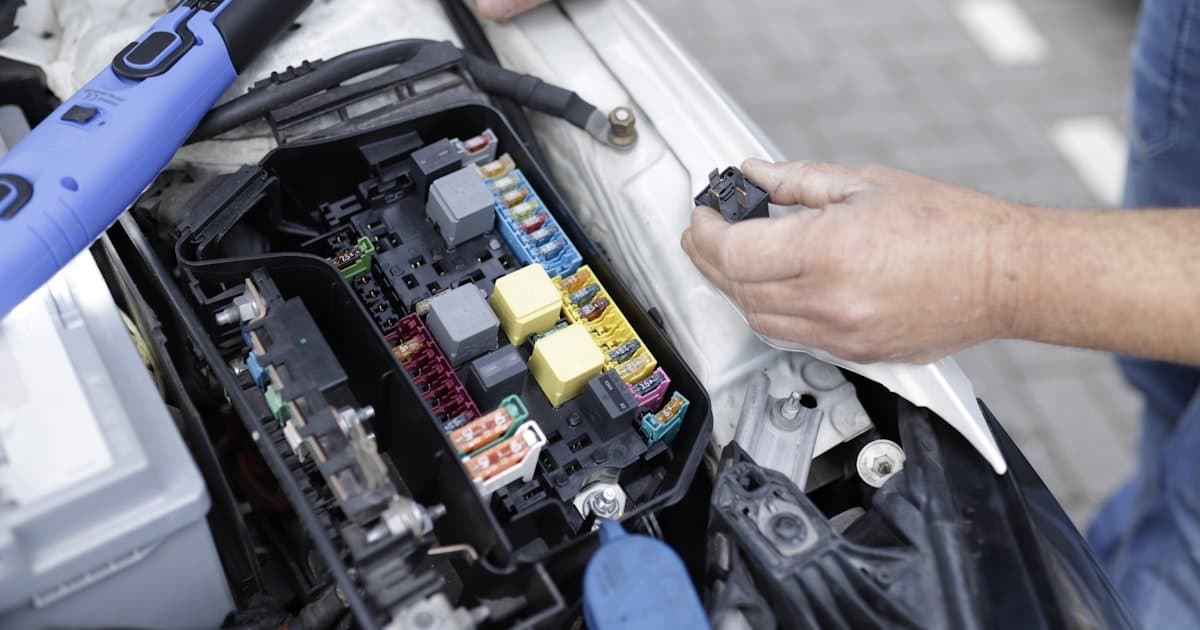
- Power. For a plug-in device, has it been unplugged or knocked loose in the footwell. For a hardwired device, has a fuse blown or has work been done on the vehicle recently. Any garage visit is a prime suspect.
- The SIM. Has the data plan lapsed, been suspended, or hit a limit. This is invisible from the device and looks exactly like a hardware failure.
- Coverage. Is the vehicle in an area or structure with no mobile signal, such as an underground car park or a remote route.
- Deliberate removal. If the device has a tamper alert and it fired, you already know. If it does not, silence is the symptom.
- The device. Last, not first.
A device that sends a disconnect alert when it loses power removes most of this ambiguity, which is why it is worth insisting on when buying. That and the other selection criteria are in choosing a GPS tracking device.
Symptom two: the position is wrong or jumping around
Satellite positioning needs a view of the sky. When the view is obstructed, signals arrive after bouncing off buildings, and the calculated position scatters.
| Where it happens | Why | Is it a fault |
|---|---|---|
| Underground or covered parking | No direct satellite view | No |
| Between tall buildings | Reflected signals | No |
| Inside a metal container or workshop | Signal blocked | No |
| Open road, consistently offset | Antenna obstructed by metal above it | Yes, installation |
| Position drifting while parked outdoors | Normal receiver scatter | No |
The one row that indicates a real problem is a device fitted with metal above its antenna. This happens after servicing more often than at installation, because devices get moved and put back in the wrong place.
Symptom three: part of a journey is missing
Usually not a fault. Devices with onboard storage keep recording during a coverage gap and upload the backlog when the connection returns, so a journey that appeared incomplete at lunchtime is often complete by the evening.
If the journey is still missing the following day, the device is not buffering. That is a hardware limitation rather than a repairable fault, and it matters most on rural routes where coverage gaps are routine.
Symptom four: tracked distance does not match the odometer
A small difference is expected and is not a fault. The two numbers are measured differently: the odometer counts wheel rotations, and a tracking system measures distance between position samples. Sampling means slight corner-cutting on bends, so tracked distance normally reads a little lower.
Investigate only if the gap is large. Large gaps usually mean a long reporting interval that is smoothing away real distance, or extended coverage gaps on a device without storage. Both are configuration or hardware issues rather than accuracy failures.
Symptom five: too many alerts, or alerts that are wrong
This is the most common complaint after a few weeks of use, and it is almost never a device problem.
- Harsh braking on every stop: the threshold is set too sensitively. Raise it until it flags genuinely abrupt events, or the driver scores will be dismissed as unfair.
- Geofence alerts firing repeatedly at one site: the boundary is drawn too tightly, so ordinary parking movement crosses it. Enlarge it.
- Speeding alerts on roads where the limit is fine: the reference speed limit for that road is wrong or missing. Check how the system sources limits.
- Out-of-hours alerts every morning: the working hours definition does not match the actual shift pattern.
Left uncorrected, this is what kills a tracking deployment. Nobody switches the system off; they simply stop reading the notifications, and after that the data is technically present and practically unused. Getting the thresholds right during a pilot is a core part of a telematics implementation.
What to have ready before contacting support
Four things turn a long support conversation into a short one: which vehicle, the exact time the problem was observed, what the system showed at that moment, and whether the vehicle has been serviced or worked on recently. That last one resolves a surprising share of cases on its own.
Frequently asked questions
Why is my GPS tracker not showing the vehicle location?
Most often power, the SIM data plan, or the vehicle being somewhere without mobile coverage. Check whether the vehicle has been serviced recently, whether a plug-in device has been knocked loose, and whether the data plan is still active before assuming the device has failed.
Why does my GPS tracker show the wrong location?
Almost always an obstructed view of the sky. Underground parking, tall buildings and metal structures cause signals to arrive reflected, which scatters the calculated position. A consistent offset on open roads instead suggests the device was refitted with metal above its antenna.
Why is part of a journey missing from the tracking history?
A mobile coverage gap. Devices with onboard storage upload the missing section once the connection returns, so check again later. If it never appears, the device is not storing data during gaps.
Why does the tracker distance differ from the odometer?
They measure differently. An odometer counts wheel rotations while a tracker measures between position samples, so tracked distance normally reads slightly lower. Only a large gap is worth investigating, and it usually points to a long reporting interval.
Can a GPS tracker be blocked or jammed?
Deliberate interference is possible, and it looks like sudden silence from a vehicle that should be moving. This is exactly why tamper and disconnect alerts matter, since they distinguish a device that lost power or signal from one that is simply parked.
Fewer faults start with the right setup
Most of the problems above are installation and configuration choices rather than hardware. Get a Fleetile demo and see how the Fleetile platform reports device health so a silent vehicle is something you are told about.